How Often Should You Empty a Self-Empty Robot Vacuum Base?
How Often to Empty Your Self-Emptying Base: A 2026 Guide
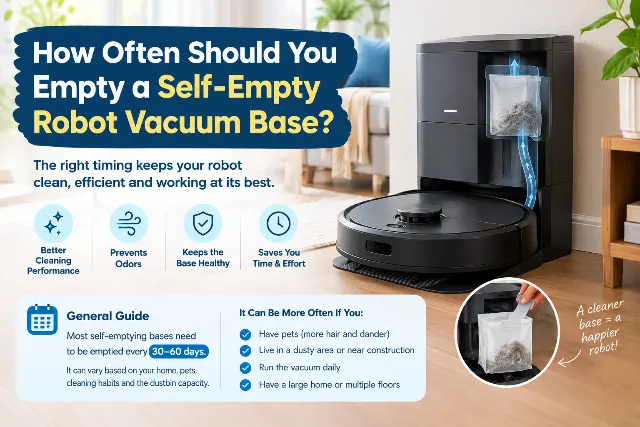
Quick answer: most homes with a pet or kids should empty a self-emptying base every 25-40 days. A heavy-shedding dog can push that to every 14 days, and a single person in a small, pet-free apartment may reach the advertised 60 days. These are owner-reported ranges, not lab figures, so treat them as a starting point and check your model's manual for its bag or bin capacity.
The "up to 60 days" claim on the box is a best-case number, typically measured in a small, pet-free home with hard floors. Trusting it is the most common mistake owners make, and it often ends with a clogged dock and a sour smell after three weeks. The better approach is a simple system: set a baseline interval, then adjust it using the signs below.
Emptying Frequency by Household Type
Use this as a starting schedule. Shorten the interval if you run the robot daily or see any warning sign in the next section.
| Household | Typical interval | Why |
|---|---|---|
| Single person, small home, hard floors, no pets | 45-60 days | Low debris volume and little hair |
| Couple, mixed flooring, no pets | 35-50 days | Moderate dust, some carpet fiber |
| One shedding dog or long-haired cat | 20-35 days | Fur and dander fill bags quickly |
| Family of four with young kids | 25-40 days | Crumbs, craft debris, and tracked-in dirt |
| Multiple pets or heavy shedding season | 14-21 days | Bulky hair is the fastest way to fill a bag |
Key Factors That Determine Emptying Frequency
Your schedule is a direct result of what you ask the robot to clean. These are the variables that matter most.
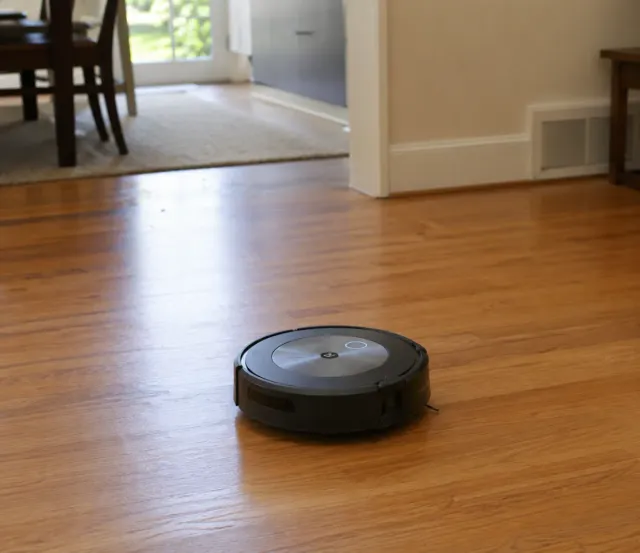
- Pets. This is the biggest factor. A single shedding dog or long-haired cat can noticeably shorten bag life, and owners of several pets often report emptying every two to three weeks in shedding season. A model like the iRobot Roomba j7+ is good at avoiding pet waste, but it still has to deal with the sheer volume of fur.
- Household size and habits. More people means more foot traffic, more tracked-in debris, and more crumbs. A family of four will fill a base faster than a couple, and toddlers add spilled cereal and craft debris.
- Square footage and floor types. A larger home means longer runs and more dirt collected. Low-pile carpet also releases fiber and holds more dust than hardwood, so a mostly carpeted home needs more frequent emptying than one with tile or laminate.
- Cleaning schedule. A daily run in a busy home fills the base faster than a twice-weekly run in a quiet apartment. Daily runs are fine (more on that below), but they shorten your interval.
Signs Your Auto-Empty Dock Needs Attention Now
Your robot will usually tell you when it's time, but the signs aren't always a simple app notification. Watch for these cues.
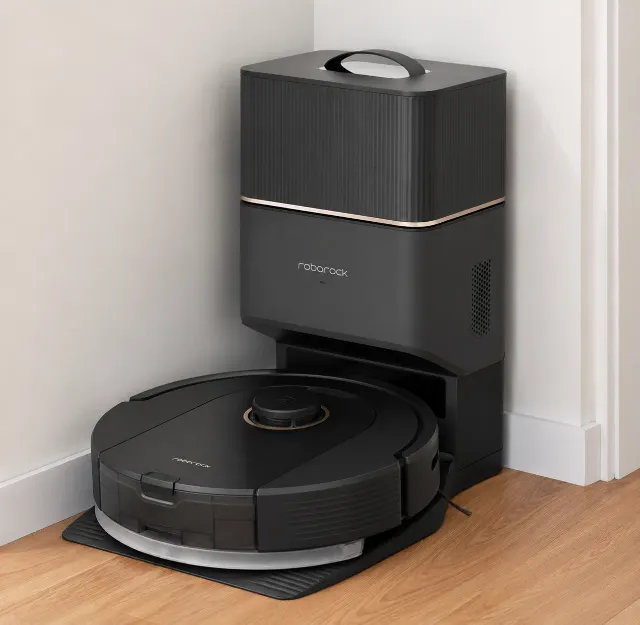
- The app notification. The most obvious sign. Many modern robots, including the Roborock Q5+ and the Narwal Freo X Ultra, can alert you when the bag or bin is full. Don't ignore it.
- The robot's onboard bin stays full. If the robot comes back from a job with debris still in its own bin, the transfer failed. That usually means a full bag or a clog in the evacuation port. The suction sound may also turn higher-pitched or shorter than usual.
- A persistent musty or sour odor. Pet hair, crumbs, and moisture sitting in a sealed bag for weeks can start to smell. If you notice it, you've waited too long, so empty sooner next time.
- Reduced suction on the next run. If the robot can't fully empty its bin, it starts the next job at a disadvantage and leaves behind debris it would normally pick up. Check the base right away.
Bagged vs. Bagless Self-Empty Stations
The type of station you own changes the task. Many brands, including iRobot and Roborock, use disposable bags. They're hygienic because the dust stays sealed, which suits allergy sufferers. The trade-off is the recurring cost of replacement bags. Third-party bags can be cheaper, but check reviews for fit first, since a poor fit can let dust escape inside the base. Most owners replace a bag every 30-60 days, or sooner in pet homes.
Bagless stations use a larger bin in the base that you empty directly into the trash. This saves money on bags but brings back the dust plume the dock was meant to avoid. The emptying frequency is the same, but the upkeep is higher: wipe the bin and clean the filter every month or two to prevent caked-on dust and odor. Dock designs vary by model and version, so confirm which type you are buying on the manufacturer's spec sheet, including for the Narwal Freo X Ultra.
Self-Empty Dock Comparison for Emptying and Upkeep
Here is how the docks covered in this guide compare on the points that affect your emptying routine.
| Product | What the dock does | Upkeep beyond emptying | Best suited to | Verdict |
|---|---|---|---|---|
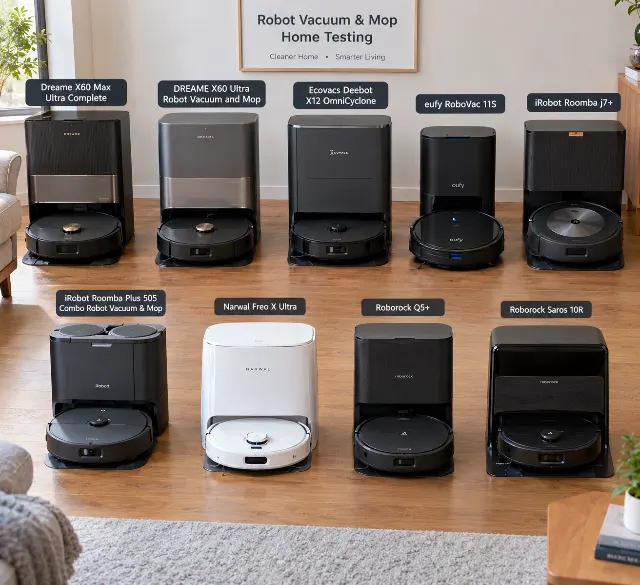
| Dreame X60 Max Ultra Complete | Empties dust, washes and dries mop pads | High: clean water tank, dirty water tank, and pads | Mixed floors and owners who want maximum automation | The most capable option here, but the most upkeep to match. |
| Ecovacs Deebot X12 OmniCyclone | Empties dust, washes and dries mop pads | Moderate to high: water tanks and pads | All-round homes that want vacuuming and mopping | A strong all-rounder with a dock that is somewhat simpler than the Dreame's. |
| Narwal Freo X Ultra | Empties dust and handles mop washing | Moderate: confirm dock type and consumables on the spec sheet | Hard-floor homes | A top contender for hard floors, with dock details worth verifying before you buy. |
| iRobot Roomba j7+ | Bagged self-empty | Low: bag replacement and brush cleaning | Pet homes, thanks to its object avoidance | Best known for vacuuming and pet-waste avoidance. Mopping is not its focus. |
| Roborock Q5+ | Bagged self-empty | Low: bag replacement and brush cleaning | Budget-minded buyers who want a dependable dock | A reliable, good-value choice with strong navigation. |
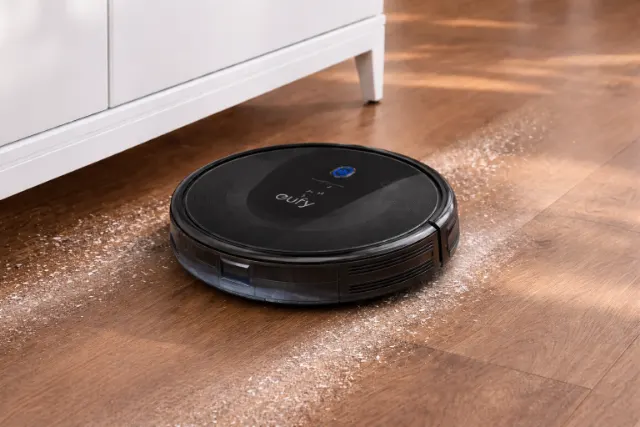
Editorial assessments from aggregated owner feedback and manufacturer specifications, not independent lab tests. Check current specifications and pricing before buying. The eufy RoboVac 11S has no self-empty base at all, which is why it isn't in this table. It is a useful reminder of what you're paying for when you choose a docked model.
Running Your Robot Vacuum Daily: Is It Too Much?
For most homes, a daily run is fine and often ideal. These machines are built for maintenance cleaning, not deep cleaning, and a daily pass stops dirt from being ground into carpets. The difference is especially clear if you're upgrading from a simple bump-and-run model like the eufy RoboVac 11S to a smart-mapping robot.
Potential Damage to Floors and Batteries from Overuse
Worries about daily runs are mostly overblown, but not entirely baseless. Here is the realistic picture:
- Floors: Robot vacuums are designed to be safe on standard hardwood, tile, laminate, and LVP, and the soft brushes and wheels are non-abrasive. The main risk is a hard piece of debris, such as a small pebble, lodged in a wheel. Clean the wheels and brushes weekly; it takes about a minute and is the best insurance against scratches.
- Batteries: Daily runs add charge cycles, which gradually wear a lithium-ion battery. Many are rated for roughly 500-1,000 cycles, so daily use may mean replacing the battery a couple of years sooner than light use would. Actual life varies by model and conditions. Avoid leaving the robot sitting with a dead battery for weeks.
Troubleshooting Common Self-Empty Base Problems
Even a good self-emptying base can act up. Before you contact support, check these things.
- Base won't empty the robot: Check whether the bag or bin is full first. If it isn't, the clog is likely in the port on the robot, the port on the base, or the tube leading to the bag. Unplug the dock and remove the robot's battery or power it off before you clear anything. Then use a soft tool, or tweezers if needed, to remove impacted hair. Avoid forcing metal tools into the ports.
- The base is very loud: The emptying cycle is essentially a high-powered vacuum running for 10-20 seconds, and no self-empty base is silent. Models like the Dreame X60 Max Ultra Complete are no exception. You can't make it quieter, but you can schedule cleaning for when you're out or not sleeping.
- The base smells awful: Odor usually comes from moisture and organic debris such as pet hair and food sitting in the bag. Change the bag more often. For bagless systems, wash the bin with soap and water and let it dry completely, and clean or replace the filter on the schedule in your manual. Some owners put a small deodorizer near the dock, away from the bag and airflow path. This is an owner workaround, not a manufacturer recommendation, so use it at your own risk and check your manual first.
- App says the bag is full, but it's empty: This usually points to a dusty sensor. Unplug the base, remove the bag, and gently wipe any visible sensors with a dry microfiber cloth or cotton swab.
Is a Self-Emptying Robot Vacuum Worth the Cost in 2026?
For most people, yes. The core value of a robot vacuum is autonomy, and emptying a tiny dustbin by hand after every run works against that. A self-emptying base turns the chore into a once-every-few-weeks task. It matters most for pet owners, allergy sufferers, and busy households. If you have a small, low-debris home and don't mind a quick daily bin check, a non-docking model can still make sense.
The price premium varies widely by brand and model, so compare the docked and non-docked versions of the same robot at current prices. For most buyers the convenience pays off quickly. Docks have also grown more capable in models like the Ecovacs Deebot X12 OmniCyclone, where the base also washes and dries mop pads, so hands-off time is now measured in weeks rather than hours.
Frequently Asked Questions
How often should I empty a self-emptying robot vacuum base?
Every 25-40 days is typical for homes with pets or kids. Light-use homes can reach 45-60 days, and heavy-shedding homes may need emptying every 14-21 days.
Can I run my robot vacuum every day?
Yes. Daily runs keep dirt from building up in carpets. They add battery cycles and fill the base faster, so shorten your emptying interval and clean the wheels and brushes weekly.
Why does my self-empty base smell?
Moisture, pet hair, and food crumbs breaking down in a sealed bag are the usual cause. Replace the bag sooner, and for bagless docks wash the bin and clean the filter.
Why does the app say the bag is full when it isn't?
A dusty sensor is the most common cause. Unplug the dock and wipe the visible sensors with a dry microfiber cloth or cotton swab.
Are third-party dust bags worth it?
They can save money, but fit varies. Read reviews for your exact model, and switch back to the manufacturer's bags if you see dust leaking inside the base.
Amazon Prime Membership
Get More From Your Amazon Shopping With Prime
Amazon Prime combines eligible shopping, delivery, entertainment, and other membership benefits. Available features, prices, and eligibility depend on your location and membership plan.
Fast, Eligible Delivery
Get available delivery benefits on qualifying orders, subject to item and location eligibility.
Movies and TV Shows
Explore Prime Video titles and benefits available with your membership.
Exclusive Shopping Offers upto 50% off
Discover eligible member-only deals and shopping events.
Additional Benefits
Depending on your plan, other benefits may include selected music, reading, gaming, and more.
Is Prime worth it? Compare the membership price with the delivery, entertainment, and shopping benefits you expect to use before signing up.
Explore Amazon Prime Membership →
Affiliate disclosure: We may earn a commission if you sign up through this affiliate link and your referral qualifies, at no additional cost to you. Membership fees, free-trial eligibility, benefits, and offers may vary. Check Amazon's current terms before joining.
Frequently asked questions
How often do you need to empty a self-emptying robot vacuum base?
Plan on emptying it every 30 to 60 days for an average home. This shortens to 2-3 weeks in homes with multiple shedding pets or heavy foot traffic, and can stretch to 90 days in a small, clean apartment. The manufacturer's estimate is a starting point, not a rule.
How do I know if I'm running my robot vacuum too often?
You're likely running it too much if the robot's bin is nearly empty after every run or you're seeing premature wear on brushes and filters. For most homes, a daily or every-other-day schedule provides the best balance of cleanliness and component longevity.
Can running my robot vacuum daily damage my floors?
Daily use is safe for most floors, including hardwood and laminate, provided the vacuum is maintained. Prevent scratches by regularly cleaning the wheels and brushes to remove embedded grit. If you have extremely delicate or antique floors, monitor them for any wear.
Will running my robot vacuum every day damage the battery?
Daily use adds charge cycles, which will degrade the battery faster over several years. However, modern lithium-ion batteries are built for this workload. To maximize lifespan, let the robot complete its charge cycle and don't let the battery sit fully depleted for extended periods.
How long do the bags in a self-emptying vacuum last?
A standard bag holds 30-60 days of debris in a typical home. A house with a shedding dog might fill one in 3-4 weeks, while a single person with hard floors could get over two months of use. Your vacuum's app will notify you when it's nearly full.
Is a self-emptying robot vacuum worth it?
Yes, for most people the convenience is worth the higher upfront cost. It dramatically reduces manual interaction, making it ideal for pet owners, allergy sufferers, and busy households. If you want a 'set it and forget it' cleaning solution, a self-emptying model is a necessary upgrade.
Products in this guide
iRobot Roomba j7+
★★★★★ ★★★★★ 4.2The Roomba j7+ excels at hands-free daily cleaning in pet homes, but its app reliability and bag costs add friction over time.
Roborock Q5+
★★★★★ ★★★★★ 4.2The Roborock Q5+ delivers premium LiDAR navigation and auto-empty convenience at a budget price, but completely lacks modern obstacle avoidance.
eufy RoboVac 11S
★★★★★ ★★★★★ 3.8The eufy RoboVac 11S is a quiet, ultra-slim budget robot vacuum for hard floors, but its random navigation makes it a frustrating choice for most homes in 2026.
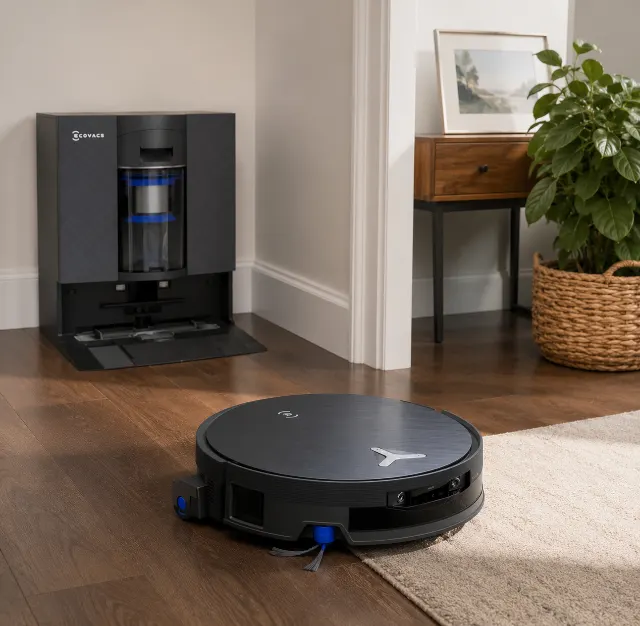
Ecovacs Deebot X12 OmniCyclone
★★★★★ ★★★★★ 4.2The Ecovacs Deebot X12 OmniCyclone offers unmatched 22,000Pa suction and a truly bagless dock, but its advanced features demand a stable Wi-Fi connection and a buyer willing to troubleshoot app quirks.
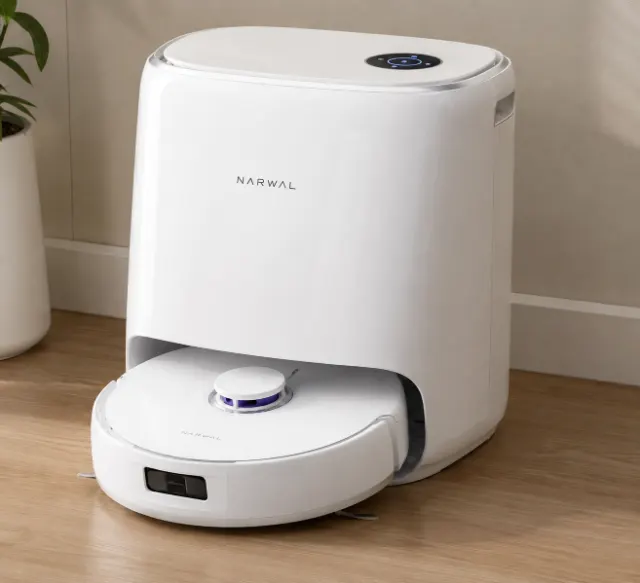
Narwal Freo X Ultra
★★★★★ ★★★★★ 4.2A mop-first robot that vacuums unusually well — DirtSense and a self-washing dock shine on hard floors, but there's no dust-emptying dock.
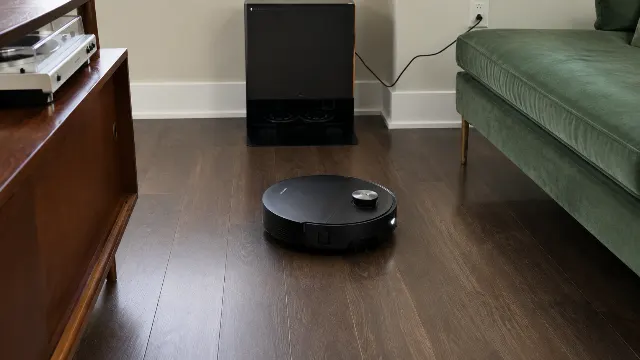
Dreame X60 Max Ultra Complete
★★★★★ ★★★★★ 4.2The Dreame X60 Max Ultra Complete delivers immense suction and a truly automated mop, but its object avoidance isn't flawless and the base station is demanding.
More guides
robot vacuum comparison 2026
Our definitive 2026 robot vacuum comparison. We review the best from Roborock, Dreame, Eufy, and more to find the top robovacs for pet hair, mopping, and self-emptying. Forget the hype—these are the ones actually worth buying.
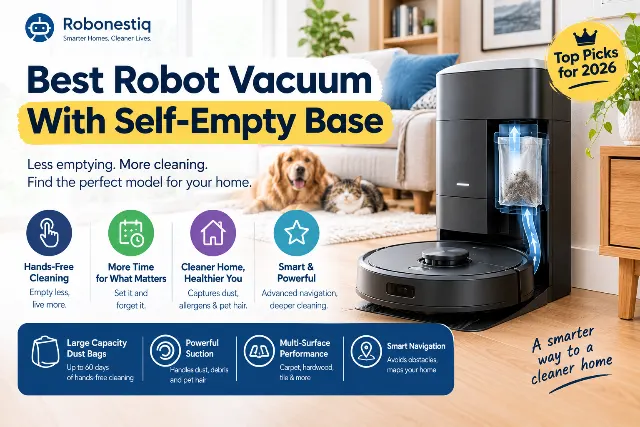
Best Robot Vacuum With Self-Empty Base
Tired of emptying that tiny dustbin? We researched the best self-emptying robot vacuums for 2026. Our top picks for pet hair, budgets, and mopping.
Best Robot Vacuum for Small Apartments
We researched the best robot vacuums for small apartments. Our 2026 picks prioritize compact docks, quiet operation, and under-furniture cleaning.