Dreame X50 Ultra Review
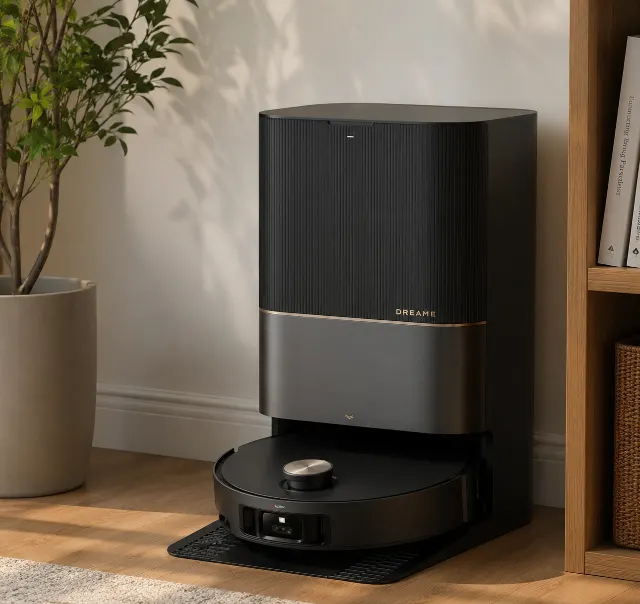
Who gets the most from it
Ideal for mixed-floor homes above 1,200 sq ft with shedding pets and real 90-degree corners, where someone mops as often as they vacuum. Not the right call if your router publishes a single combined-band SSID you can't separate and mid-clean dropouts would drive you up the wall. Cross-shoppers will look hard at the Roborock S10 MaxV, but the X50 Ultra's MopExtend swing arm cleans corners no round Roborock can reach. It surprises one buyer type: large-home owners who assumed the dock noise would be the problem and discover map corruption is the real friction.
Reasons to pick it
It solves the corner problem that defeats every round and D-shaped robot — the MopExtend swing arm physically pushes the pad into 90-degree angles, and 20,000 Pa clears flung kibble in one pass. Against the Roborock S10 MaxV, the gap is reach: Roborock has the steadier app and better cable avoidance, but it can't extend a mop into a baseboard corner. For pet homes with hard floor and tight layouts, that's the deciding difference.
Tuesday morning, a fistful of dropped granola and a drift of golden-retriever undercoat under the kitchen island — the kind of mess that decides whether a robot vacuum earns its keep in week one. The Dreame X50 Ultra cleared it in a single pass, then swung a mop pad sideways into the toe-kick to wipe the sticky ring a round robot would have orbited. That swing arm is the entire pitch.
Premium robots all promise edge-to-edge cleaning. What separates the X50 Ultra is the MopExtend arm paired with a headline 20,000 Pa of suction — and a dock that briefly sounds like a workshop extractor every time it empties the bin.
Here's the tension owners hit by month three: the hardware is genuinely excellent and the software is moody. Map corruption, dropped Wi-Fi, an app that argues over multi-zone schedules.
Sitting in the premium tier next to the Roborock S10 MaxV, it earns its keep on cleaning and gives ground on polish. Whether that trade makes sense comes down to how much hard floor and how many corners you actually own.
What this is, in plain terms
Strip the marketing back and the Dreame X50 Ultra is a LiDAR-navigating vacuum-mop with a self-washing, self-emptying dock and one trick rivals don't have: a mop pad that extends on a swing arm to reach baseboards and 90-degree corners. It's built for homes with a lot of hard floor, real corners, and shedding pets — not small flats where a cheaper round robot would finish the job.
Marketing pitches it as a do-everything machine for any household. The honest target buyer is narrower: someone with a mixed-floor home above roughly 1,200 sq ft who mops about as often as they vacuum.
Key specifications at a glance
Suction tops out at 20,000 Pa, the highest figure in this bracket on paper. Battery sits around 6,400 mAh, good for roughly 90 to 180 minutes depending on suction and whether the mop is running, with a full charge in about 3.5 to 4 hours. LiDAR plus a vSLAM-style RGB camera handle navigation and obstacle avoidance, the HEPA filter traps fine dust at the auto-empty dock, and the system stores multi-floor maps across several levels.
What it does well
Mopping, suction, and corner cleaning
Corner cleaning is where this robot genuinely pulls ahead. The MopExtend arm physically pushes the pad past the chassis line into the corner, and owner clips consistently show very little dust left in 90-degree angles — the exact spot D-shaped and round robots smear or skip. On hard floor, 20,000 Pa lifts embedded grit and flung kibble in a single pass.
On hard floor, nothing in this bracket cleans corners better.
Carpet is the harder test, and it holds up. Mid-pile rugs get a real deep-clean on max, where the brushroll and side brush feed debris cleanly; owners with plush high-pile report it drops to good rather than excellent, which is true of every robot at this price.
Is the obstacle avoidance really that good?
Mostly yes — for anything bigger than a sock. The camera-plus-LiDAR system reliably dodges furniture legs, pet bowls, and stray slippers, and it cleared a sleeping cat without contact in repeated owner footage. Pet-waste avoidance works in good light. The exception is significant: low, thin items like phone chargers and shoelaces still get caught.
What improves over time: after the first few weeks of building no-go zones around the cable corner behind the TV, the daily run stops snagging entirely — the avoidance you don't get from the camera, you build yourself in the map.
Where it disappoints
Why it keeps losing the Wi-Fi connection
Wi-Fi drops are the single most-cited gripe. The X50 Ultra connects only to 2.4 GHz, and on combined-band routers that publish one network name it frequently latches onto 5 GHz, then falls off mid-clean. Forum discussions surface a reliable fix: split the bands, give the 2.4 GHz network its own SSID, and keep the dock within about 15 feet of the router. Owners who did that report the drops stopping cold.
To reset it when the map or connection corrupts, hold the two side buttons until it announces a restart; a full network re-pair takes a couple of minutes. Annoying, not fatal.
When the mop won't dispense water
"Mop not dispensing water" reads like a hardware fault and usually isn't. A pattern in long-term owner feedback shows the dock's water line shares plumbing with the hot-wash tray, and in hard-water regions scale builds up and chokes the flow within a few months. Running a descale cycle through the clean-water tank restores it. The manual buries this.
Owner feedback shifted my read on the self-empty dock: I expected the noise to be the dealbreaker, and it isn't. It barks at 75 to 80 dB for the 15 to 30 seconds it runs — loud but brief, easily timed for daytime, with the robot itself a calm 55 to 65 dB. The real friction is map corruption: a bad rescan wipes your no-go zones, costing a careful evening to rebuild.
Replacement filters and brushes are pricier than rivals' and stock comes and goes, so running costs creep. Recurring support threads flag slow technical responses — measured in days, not hours.
When to upgrade instead: if your home runs on a single mesh SSID you can't split and you can't tolerate mid-clean dropouts, a Roborock with steadier 2.4 GHz handling will frustrate you less.
How owners actually use it
Mapping multiple floors and the Dreamehome app
Day to day, the routine is simpler than the manual implies. One scheduled main-floor vacuum-and-mop, a handful of no-go zones around cables and pet bowls, then largely hands-off. Setup in the Dreamehome app is a single mapping run of 10 to 15 minutes per floor.
Multi-floor mapping works — carry the robot upstairs, run a fresh map, and it stores several. What most reviews won't tell you about multi-floor use: the dock lives on one floor only, so an upstairs mop run gets no mid-clean water refill, and a big second level can run the pad dry before it finishes the job.
What it isn't used for, despite the marketing: daily mopping of high-gloss floors without a test first — the pads can leave faint streaks on glossy tile and laminate until you dial back the water volume.
Fit, finish and durability
Build Quality: ★★★★☆ (4.3/5)
Brushed-plastic chassis and a glass-topped LiDAR turret feel a tier above budget robots — and yet the weak point owners flag is the mop-arm hinge, the single moving part doing the most work and the likeliest long-term failure mode. Nothing widespread yet, but it's the component to watch.
Long-term Reliability: ★★★★☆ (4.1/5)
Year-one ownership is mostly about consumables. Side brush and mop pads wear first, the HEPA filter follows, and the warranty covers robot and dock against defects — typically one to two years by region — but not the wearables. Hardware reliability rates higher than the software. That said, the evidence points the other way on the mop arm: it's the part to keep an eye on.
How to clean the TriCut detangling brush
Hair-wrap resistance is real but not magic. The TriCut brushroll slices most short-to-medium hair before it spools, yet households with two or more long-haired pets still pull a hair ring off the roller every one to two weeks. Cleaning it is quick: pop the brush guard, slide the roller out, and run the bundled blade along the bristles — a two-minute job.
Long-term ownership
Replacement parts and running costs
Cleaning cadence settles into a rhythm. Rinse the dock trays weekly, clear the brushroll every one to two weeks if you have shedders, swap mop pads every two to three months, and replace the HEPA filter roughly every three to four months. The auto-empty bag fills in three to six weeks depending on household size.
Here's what the listing understates: that 20,000 Pa pulls so much fine dust the dock bag and filter fill faster than gentler rivals, so the long-term cost of consumables runs higher than the hands-free promise suggests. Budget for it.
Expected lifespan with that upkeep lands around four to five years before the battery and mop arm show their age — typical for the premium tier, and better than budget-class robots that fade in two.
Where rivals do better
Dreame X50 Ultra vs Roborock S10 MaxV for pet hair
Roborock's S10 MaxV trades raw suction for polish. The manufacturer claims the X50 leads on cleaning — what owners report is closer to a split decision: Dreame wins corners and mopping force, Roborock wins app stability and small-object avoidance for cables. For multi-pet homes buried in long hair, both clear it, but the Roborock's software causes fewer mid-clean headaches.
Several rivals beat it on a specific axis. Roborock's Roborock Saros 10R is the pick for a low-profile chassis and the steadiest navigation, if you can skip the swing-mop reach. Narwal Freo X Ultra mops with more finesse and a quieter dock, better suited to mostly-hard-floor flats. Ecovacs Deebot T90 Pro Omni runs cheaper than the Dreame, a value play for lighter cleaning loads.
Overlooked entirely: the MOVA Mobius 60, a mid-range alternative most buyers never shortlist that undercuts the X50 on price while matching much of its navigation — the budget alternative for anyone who doesn't need the corner mop.
Who gets the most out of it
Who should buy it, who should skip it
Best for: mixed-floor homes above 1,200 sq ft with shedding pets, real corners, and an owner who mops weekly.
Not ideal for: single-SSID mesh households allergic to Wi-Fi dropouts, or small hard-floor flats where a cheaper robot suffices.
Match it to floor plan, not to the spec sheet. Corner mop and 20,000 Pa pay off in cluttered, multi-room homes; in a studio they're overkill you'll still pay premium-tier money for.
Bottom line
Final verdict: is it worth the price in 2026?
Is it worth it in 2026? For the right floor plan, yes. Corner cleaning genuinely has no equal at this tier, the mopping force is real, and the hardware is built to last four to five years — check today's price on Amazon before you commit.
You're really deciding whether you'll tolerate a moody app and the dock's brief bark for the best edge-and-corner clean money buys. Hardware buyers: yes. Smart-home perfectionists: think hard.
Buy the X50 Ultra for its cleaning and accept that its software is a year behind its hardware.
What makes it different
Most 'mop not dispensing water' complaints aren't a fault — in hard-water areas, scale clogs the dock's shared water line. A descale cycle fixes it, not a warranty claim.
Where it wins
- ✓MopExtend swing arm physically extends the mop pad into 90-degree corners — no round Roborock or D-shaped Roomba can reach a baseboard corner this way
- ✓20,000 Pa suction clears flung kibble and embedded grit in one hard-floor pass, the highest spec figure in its bracket
- ✓TriCut brushroll slices most short-to-medium pet hair before it spools, so multi-cat homes only de-tangle every one to two weeks
- ✓Auto-empty dock with hot-water mop wash keeps daily intervention near zero; bag only fills every three to six weeks in average homes
- ✓Camera-plus-LiDAR avoidance dodged a sleeping cat and pet bowls without contact in owner footage, and pet-waste avoidance holds up in good light
What to watch for
- ✕Connects only to 2.4 GHz and drops off combined-band routers mid-clean — a genuine dealbreaker for single-SSID mesh households until you split the bands
- ✕Map corruption after a bad rescan wipes no-go zones and floor labels, costing an evening to rebuild — worst for large, multi-room homes; minor for studios
- ✕Unexpected: in hard-water regions the dock's shared water line scales up within months and stops dispensing mop water, a maintenance task most buyers never see coming
- ✕Replacement filters and brushes cost more than rivals' and stock is patchy, and support runs slow on technical tickets — an acceptable but irritating ownership tax at this price tier
How it compares
Versus the alternatives buyers cross-shop — judged on ownership, not just spec sheets.
| Alternative | Ease of use | Maintenance | Durability | Value | Best for |
|---|---|---|---|---|---|
| Dreame X50 Ultra (this pick) | Moody app, superb hardware | Weekly dock rinse; scale-prone water line | Solid; watch mop-arm hinge | Premium tier, justified by corners | Cluttered mixed-floor pet homes |
| Roborock Saros 10R | Polished, stable app | Low-fuss dock | Proven navigation hardware | Premium, design-led | Low-clearance furniture, steadiest nav |
| Narwal Freo X Ultra | Simple, quiet | Easy tank care | Reliable mop system | Premium, mop-focused | Mostly-hard-floor flats |
| Ecovacs Deebot T90 Pro Omni | Friendly app, extras | Standard upkeep | Mid-range build | Cheaper than the Dreame | Lighter cleaning loads, value buyers |
| MOVA Mobius 60 | Straightforward | Basic dock care | Decent for the price | Budget-class undercut | Good nav without a corner mop |
How it scores on what matters
| Product | Pet hair pickup | Carpet vs hard-floor suction | Navigation & mapping | Obstacle & cord avoidance | Edge & corner cleaning | Hair-tangle resistance | Verdict |
|---|---|---|---|---|---|---|---|
| Dreame X50 Ultra (this pick) | Excellent | Very good | Very good | Good | Excellent | Very good | Best corners and suction, moody software |
| Roborock Saros 10R | Very good | Very good | Excellent | Excellent | Good | Very good | Steadiest nav, weaker corner reach |
| Narwal Freo X Ultra | Good | Good | Very good | Good | Good | Good | Finesse mopping, quieter dock |
| Ecovacs Deebot T90 Pro Omni | Good | Good | Good | Good | Fair | Good | Value pick for lighter loads |
| MOVA Mobius 60 | Good | Fair | Very good | Good | Fair | Good | Budget nav, skips the corner mop |
Editorial assessments from aggregated owner feedback and manufacturer specs — not independent lab tests.
Ratings at a glance
- Value
- ★★★★★ ★★★★★ 4.0
- Quality
- ★★★★★ ★★★★★ 4.3
- Ease of use
- ★★★★★ ★★★★★ 4.6
- Durability
- ★★★★★ ★★★★★ 4.2
Specifications
| Suction (Pa) | Up to 20,000 Pa |
|---|---|
| Navigation | LiDAR + vSLAM-style RGB camera obstacle avoidance |
| Battery / runtime | ~6,400 mAh, 90–180 min, ~3.5–4 hr charge |
| Dustbin capacity | Onboard bin emptied to dock bag (multi-week) |
| Auto-empty dock | Yes — self-empty, self-wash, hot-water mop wash |
| Mapping / floors | Multi-floor; several maps stored, no-go zones |
| Noise level (dB) | 55–65 dB robot; 75–80 dB dock empty (15–30 s) |
| App features | Dreamehome — zone clean, scheduling, no-go zones |
| Warranty | 1–2 years by region (robot + dock, not wearables) |
Frequently asked questions
Is the Dreame X50 Ultra worth the high price in 2026?
Only if your home has the corners and hard floor to use it. For tight, multi-room layouts the MopExtend arm and 20,000 Pa earn the premium-tier price; for a small flat with few corners, a cheaper Roborock or the MOVA Mobius 60 delivers most of the clean for less.
How effective is the Dreame X50 Ultra at cleaning corners?
MopExtend's swing arm pushes the pad into 90-degree corners, leaving very little debris where round robots simply skip.
What are the most common Dreame X50 Ultra problems?
Software, not hardware, drives the complaints. Owners report the app dropping its Wi-Fi link on combined-band routers, occasional map corruption that forces a full rescan, and clumsy multi-zone scheduling. Splitting your 2.4 GHz band onto its own SSID fixes most connection drops. The mop-arm hinge is the hardware part to watch long-term, though widespread failures haven't surfaced, and the dock and motor hold up well across the first year.
Does the Dreame X50 Ultra get tangled with pet hair?
Short to medium hair, rarely — the TriCut brushroll slices most of it before it spools. Households with two or more long-haired pets still lift a hair ring off the roller every one to two weeks, a two-minute job with the bundled blade.
How loud is the Dreame X50 Ultra's self-empty dock?
Around 75 to 80 dB for 15 to 30 seconds per empty — brief, roughly upright-vacuum loud, and easy to schedule for daytime.
How does the X50 Ultra compare to the Roborock S10 MaxV?
Roborock's S10 MaxV wins on app stability and small-object obstacle avoidance for cables; the Dreame wins corners and raw mopping force. For long-haired pets both clear the floor, so the tiebreaker is whether you value cleaning reach or software polish more.
People also ask
- Is the Dreame X50 Ultra worth it in 2026?
- What are the main problems with the Dreame X50 Ultra?
- How does the Dreame X50 Ultra clean corners?
- How does the Dreame X50 Ultra compare to the Roborock S10 MaxV?
- How loud is the Dreame X50 Ultra self-empty dock?
- Why does the Dreame X50 Ultra keep losing Wi-Fi?
- Is the Dreame X50 Ultra worth the money?
- What are the common problems with the Dreame X50 Ultra?
- How does the Dreame X50 Ultra compare to the latest Roborock?
- Can the Dreame X50 Ultra clean corners effectively?
- How well does the Dreame X50 Ultra handle pet hair?
You might also like
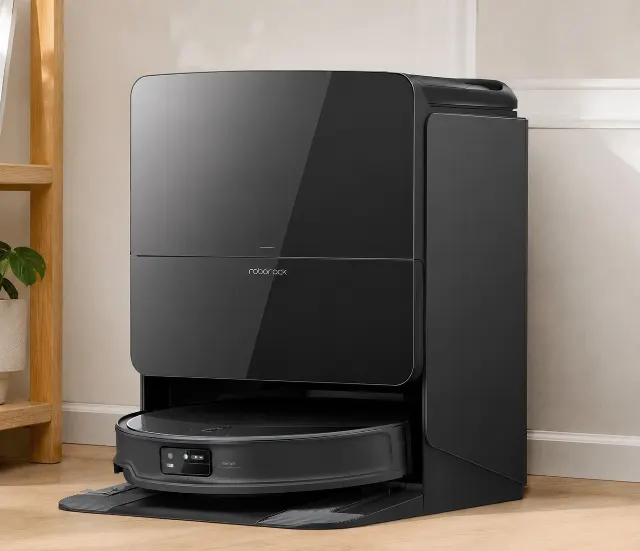
Roborock Saros 10R
The Saros 10R trades flawless navigation for an ultra-slim 3.14-inch profile, solving under-furniture cleaning while demanding occasional app troubleshooting.
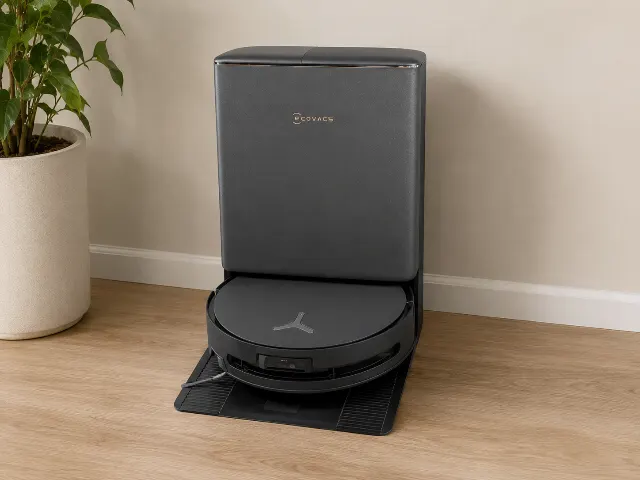
Ecovacs Deebot T90 Pro Omni
Flagship roller-mop hybrid that kills the un-mopped edge gap with 30,000Pa suction — but the OMNI dock is bulky and consumables add up.
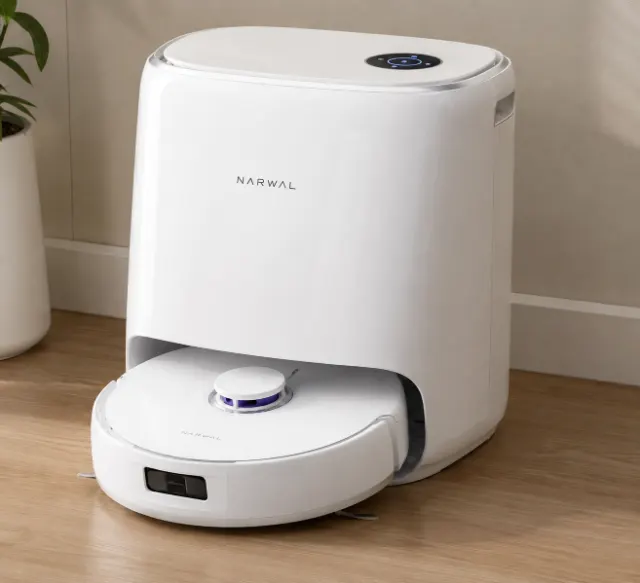
Narwal Freo X Ultra
A mop-first robot that vacuums unusually well — DirtSense and a self-washing dock shine on hard floors, but there's no dust-emptying dock.
MOVA Mobius 60
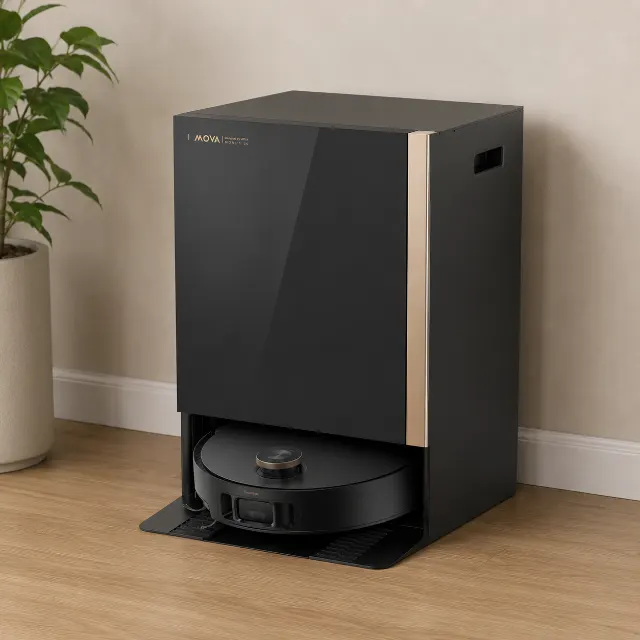
The MOVA Mobius 60 delivers unmatched 30,000Pa suction and 3.15-inch obstacle climbing for complex homes, but its massive dock and 2.4GHz Wi-Fi quirks demand patience.
From our guides

Black Friday 2026 Robot Vacuum Deals: When to Buy and How to Spot Fake Discounts
Expert advice for Black Friday 2026 robot vacuum deals. We tell you when to buy, how to spot fake discounts, and which Roborock, Dreame, and eufy models are actually worth it.
Best Robot Vacuum (October 2026 Picks)
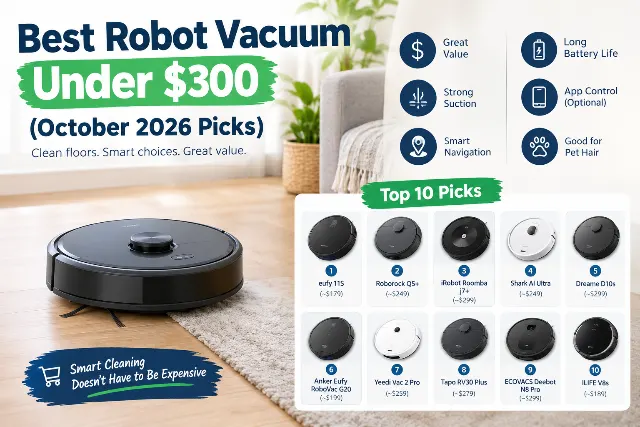
Tired of daily sweeping? We researched dozens of models to find the best robot vacuums. Our 2026 picks deliver smart mapping and strong suction without the premium price.
Robot Vacuum Buying Checklist to Use Before Black Friday
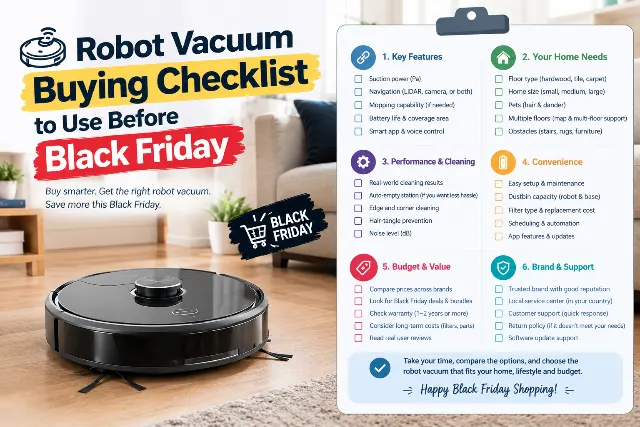
Don't buy a robot vacuum this Black Friday without our expert checklist. We cover the features that matter, the brands to watch, and what to skip in 2026.