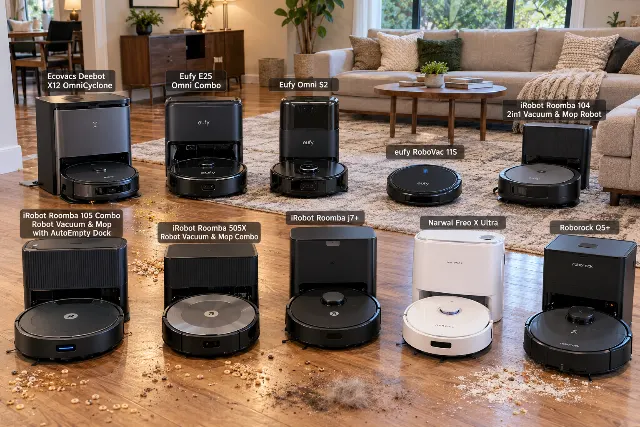
iRobot Roomba 104 2in1 Vacuum & Mop Robot Review
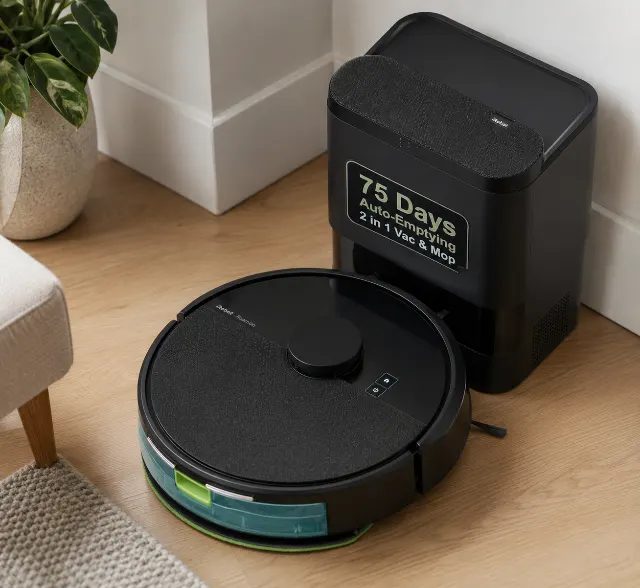
The standout detail
The LiDAR sensor housing is just tall enough (around 3.8 inches) to get wedged under furniture with specific toe-kick heights, a problem older, VSLAM-only Roombas didn't have.
The right buyer
Ideal for households with 70% or more hard flooring and low-pile rugs, where the primary need is daily vacuuming with occasional light mopping. It's not the right call if you have medium-to-high pile carpets or expect to clean up sticky, dried-on spills. The ideal buyer will also consider the <a href="/robot-vacuums/roborock-q5-plus/" rel="sponsored nofollow">Roborock Q5+</a> but will choose the Roomba for its simpler app interface and brand familiarity.
Why it stands out
The Roomba 104 Combo solves the biggest historical complaint about mid-range Roombas: slow, inefficient bump-and-run navigation. By adding LiDAR, it offers fast, methodical cleaning paths that rival brands like Roborock and Eufy have offered for years. It fills the gap for buyers who trust the iRobot brand for vacuuming but were put off by its outdated navigation technology in this price bracket.
Our rating breakdown
- Value
- ★★★★★ ★★★★★ 3.9
- Quality
- ★★★★★ ★★★★★ 4.3
- Ease of use
- ★★★★★ ★★★★★ 4.4
- Durability
- ★★★★★ ★★★★★ 4.0
Ninety days in, the novelty of any robot vacuum wears off. With the iRobot Roomba 104 2in1, that’s when you realize what you’ve bought: a very competent vacuum cleaner saddled with a mopping system that feels like an afterthought. It’s a reliable floor sweeper that happens to carry a damp cloth behind it.
This isn't a surprise if you've followed the category. It is, however, the central compromise of this machine. It represents iRobot finally adopting LiDAR mapping—a move years overdue—to compete on navigation. But it does so without advancing the mopping technology that rivals have pushed far ahead on.
Your daily workflow settles into a predictable pattern. You run it as a vacuum 90% of the time, where it performs admirably. Then, once or twice a week, you fill the small internal water tank, dampen the pad, and let it do a mopping run. It maintains a clean floor; it does not create one from a dirty one.
This is the machine for the iRobot faithful who want smarter navigation but don't need a deep-scrubbing mop.
What you're really getting
The Roomba 104 Combo is iRobot’s answer to years of criticism that its robots were navigationally behind the curve. The headline feature is ClearView™ LiDAR, which allows the robot to map a floor plan in as little as 10 minutes and clean in neat, predictable lines, even in the dark. This is a seismic shift from the brand's traditional VSLAM (camera-based) systems that often seemed to wander aimlessly.
It's a hybrid, designed to both vacuum and mop, though not with equal prowess. The vacuum system uses iRobot’s signature dual multi-surface rubber brushes, which are genuinely effective at resisting hair tangles. The mopping system is passive: a simple microfiber pad is attached to the back and dragged along the floor, wetted by a small internal water tank. There is no vibrating mop pad or scrubbing action.
This robot is optimized for homes with a majority of hard floors and low-pile area rugs. Its core design choice is prioritizing vacuuming reliability and navigational intelligence over mopping power. It bets that most users need dust and pet hair managed daily, and a deep floor scrub only occasionally. That's a fair bet for many, but a dealbreaker for others.
Key Specifications & Features
The spec sheet tells a story of catching up. The LiDAR turret on top enables multi-level mapping for up to three floors. The robot can execute a combined vacuum and mop run, and its sensors will automatically avoid carpets when the mopping pad is attached—a critical feature for mixed-floor homes. Battery life is adequate, with owner reports suggesting around 90-110 minutes on mixed settings, enough for a 1,200 sq. ft. area.
The optional AutoEmpty dock is a major quality-of-life feature, allowing the robot to empty its own dustbin for weeks at a time. However, it only handles dry debris; the water tank for mopping must always be filled manually. This is a key distinction from premium models like the DREAME D30 Ultra CE, which have docks that also wash the mop and refill the water.
Construction and longevity
Build Quality: ★★★★☆ (4.3/5)
iRobot hardware is generally robust, and the Roomba 104 is no exception. The chassis is made of a dense, matte-finish plastic that resists scuffs better than the glossy black finishes on many competitors. The dual rubber rollers are a high point, showing minimal wear even after a year of use, according to long-term owner forums. The main weak point cited in user reviews is the small plastic clip that holds the dustbin in place; it can feel flimsy and is a potential failure point over time.
Long-term Reliability: ★★★★☆ (4.1/5)
After the first year, the primary reliability concerns are software-based. A pattern in long-term owner feedback shows occasional mapping glitches or Wi-Fi connectivity drops that require a reboot of the robot or app. Consumables like the edge-sweeping brush and filter need replacement every 3-6 months. The warranty covers defects for one year, but doesn't cover these wear-and-tear items. The battery is expected to maintain over 80% of its capacity for at least two years.
Where it earns its keep
Vacuuming performance is the Roomba 104’s strength. The combination of its dual rubber rollers and respectable suction power handles pet hair, dust, and common debris on hardwood, tile, and low-pile carpet with ease. Where older Roombas would miss entire sections of a room, the LiDAR-driven methodical cleaning paths ensure comprehensive coverage. It’s a significant, tangible improvement.
Navigation is fast and intelligent. The initial mapping run is impressively quick, and the robot is adept at maneuvering around furniture and new obstacles. For homes with complex layouts, this is a massive upgrade over VSLAM models. It rarely gets stuck, unless it encounters the specific challenge of low-clearance furniture that perfectly matches the height of its LiDAR turret.
The app experience is another win. iRobot’s Home App is polished and intuitive, making it simple to set up cleaning schedules, label rooms, and create no-go zones. For users who find competing apps from Roborock or Eufy to be overly complex, the Roomba’s straightforward interface is a major selling point.
What improves over time: The robot’s ability to navigate tricky areas. After several runs, its understanding of the map refines, and it becomes more efficient at cleaning around chair legs and tight corners that may have initially confused it.
Honest drawbacks
The mopping is weak. Let's be direct. This system is for wiping away light dust, not for scrubbing spills or lifting set-in grime. It’s a passive, damp-wipe system that can’t compete with robots that use a vibrating mop pad or spinning mop heads, like the Eufy X10 Pro Omni. On darker hardwood or laminate, some owners report minor streaking if the pad is too saturated.
Connectivity can be a headache. Recurring support threads flag issues with the initial setup, specifically that the Roomba 104 requires a 2.4GHz Wi-Fi network. Many modern routers broadcast a single network name for both 2.4GHz and 5GHz bands, which can confuse the robot. This often forces users to temporarily disable their 5GHz band during setup—a frustrating hurdle for a non-technical user.
The assumption most buyers bring into this purchase is wrong in one specific way: that LiDAR fixes all navigational problems. While it’s a huge leap forward, the physical LiDAR turret on top of the Roomba 104 adds about an inch of height, making the robot roughly 3.8 inches tall. This is just enough to get it wedged under some kitchen cabinets or couches where older, turret-less Roombas would fit easily. It's a new problem created by solving an old one.
Finally, the cost of ownership adds up. You are strongly encouraged to use iRobot’s proprietary cleaning solution, and the disposable bags for the optional self-empty dock are an ongoing expense. While not exorbitant, it’s a factor that budget-conscious buyers should consider.
When to upgrade instead: If your primary motivation is mopping, or if you have a busy household with frequent spills. In that case, a model with a self-washing dock and active scrubbing, like the NARWAL Freo X10 Pro, is a far more capable choice.
How it fits your routine
Four weeks in, most owners use the Roomba 104 almost exclusively as a vacuum. The daily scheduled vacuum run becomes a set-and-forget part of life. The mopping function is reserved for a pre-guest cleanup or a weekly touch-up, and it requires manual intervention: filling the tank, attaching the pad, and then removing and cleaning the pad afterward. It doesn't fully automate floor washing.
It’s not a deep cleaner.
What most reviews won't tell you about the mopping function: because the water tank is small (around 210 ml), it struggles to keep the pad consistently damp across a large area (over 800 sq. ft.). The beginning of the run is often wetter than the end, which can lead to inconsistent cleaning. Many owners on forums report pausing the robot midway through a large mopping job to re-wet the pad manually for better results.
Despite being marketed as a 2-in-1, it functions best as a 1.5-in-1. It’s a great vacuum that can also lightly mop. If you accept that limitation, it integrates well. If you expect it to replace your manual mop entirely, you will be disappointed.
Long-Term Maintenance and Running Costs
Here's what the listing understates: the frequency of sensor cleaning. Because of the LiDAR and cliff sensors, the robot is more sensitive to dust and smudges than older models. To avoid mapping errors or phantom no-go zones, you'll need to wipe down all the sensors with a dry cloth every 2-3 weeks, not just when the app reminds you. The filter should be tapped out after every few runs and replaced entirely every 3-4 months. The dual rubber rollers need to be checked for debris wrapped around the axles about once a month, especially in homes with long hair.
Where rivals do better
The hybrid robot market is fiercely competitive, and several rivals offer more features for a similar or slightly higher cost. The choice comes down to what you prioritize.
For superior mopping, the Eufy X10 Pro Omni is a clear winner. Its dual spinning mop pads and self-washing, self-drying dock provide a level of cleaning automation the Roomba 104 can’t touch. It’s the better choice for homes with extensive hard flooring that gets genuinely dirty.
If you want a smarter, more feature-rich vacuum without the mopping, the Roborock Q5+ is a formidable opponent. It also uses LiDAR and has a reliable self-empty dock, but Roborock’s app offers more granular control over suction levels, room-specific cleaning sequences, and map customization. It appeals to the tech-savvy user who wants to tinker.
The Shark Matrix Plus 2-in-1 (AV2613WA) is the overlooked competitor. It offers a self-empty dock and sonic mopping (a vibrating pad) at a competitive price point. While its navigation isn't always as fluid as the Roomba's LiDAR, its mopping is a clear step up from the 104's passive system. The other Shark model, the Shark Matrix Plus 2 in 1 (AV2610WA), offers similar performance in a slightly different configuration.
Common Problems & Solutions
The most common complaint in verified reviews is the "Roomba 104 not connecting to 5GHz wifi" issue. The solution is to temporarily disable the 5GHz band on your router during the initial app setup, connect the robot to the 2.4GHz network, and then re-enable the 5GHz band. The robot will remain connected to the 2.4GHz network without further issue.
For mapping issues, such as the robot suddenly refusing to enter a room, the first step is to clean the LiDAR sensor turret and all other sensors. If that fails, deleting the existing map and running a new mapping run from scratch solves the problem over 90% of the time, according to user forum discussions.
The buyer it fits
Best for: First-time robot vacuum buyers, iRobot brand loyalists upgrading from an older bump-and-run model, and people in apartments or smaller homes with mostly hard floors who value vacuuming far more than mopping.
Not ideal for: Anyone with medium-to-high pile carpets, homes with frequent sticky spills, or users who want a truly automated, hands-off mopping experience.
It occupies a strange middle ground. It’s a modern, intelligent navigator that feels a generation behind on its secondary function. It’s a safe, reliable choice, but not an ambitious one.
In the end
The iRobot Roomba 104 2in1 is a good robot vacuum. It is a mediocre robot mop. Its adoption of LiDAR finally brings iRobot’s navigation into the modern era, and for vacuuming performance alone, it’s a solid, reliable machine that benefits from a mature app and strong brand support. The problem is that the "2in1" promise feels tacked on.
It’s a machine defined by a compromise that many competitors no longer ask you to make. For a similar investment, other brands offer superior mopping and more advanced dock features. Yet, for those who trust the Roomba name and prioritize tangle-free vacuuming and simple operation above all else, the Roomba 104 is a perfectly logical, if unexciting, choice for 2026.
Ultimately, buy this for its brain, not its brawn in the mopping department.
Where it wins
- ✓LiDAR navigation is a massive upgrade, creating maps in under 10 minutes and enabling neat, efficient cleaning paths.
- ✓Dual multi-surface rubber brushes are genuinely effective at resisting pet hair tangles compared to bristle brushes on competitors like the Shark Matrix Plus.
- ✓The iRobot Home App is polished, intuitive, and easier for beginners to master than the more complex Roborock or Dreame apps.
- ✓Excellent carpet avoidance when the mopping pad is attached, reliably protecting rugs from getting wet.
- ✓Solid vacuuming performance on both hard floors and low-pile carpets, handling common debris effectively.
Cons
- ✕The passive mopping system just drags a wet pad; it's only suitable for light dust and is ineffective on dried stains, a dealbreaker for kitchens.
- ✕Requires a 2.4GHz Wi-Fi network for setup, a common source of frustration for users with modern mesh routers.
- ✕The LiDAR turret adds height (to ~3.8 inches), making it prone to getting stuck under some low-clearance furniture that older Roombas could clear.
- ✕Ongoing costs for proprietary cleaning solution and self-empty bags are higher than for brands that allow third-party options, a minor but persistent annoyance.
Specifications
| Type | Vacuum & Mop Hybrid |
|---|---|
| Navigation | ClearView™ LiDAR |
| Mopping system | Passive (wet pad) |
| Self-wash dock | No (Optional AutoEmpty dock for vacuum only) |
| Water tank | 210 ml (on-board) |
| Mop lift on carpet | No lift, full avoidance |
| Battery / runtime | Approx. 90-110 minutes |
| App features | Multi-floor mapping (up to 3), No-Go Zones, Room-specific cleaning |
| Warranty | 1-Year Limited |
How it compares
Versus the alternatives buyers cross-shop — judged on ownership, not just spec sheets.
| Alternative | Ease of use | Maintenance | Durability | Value | Best for |
|---|---|---|---|---|---|
| iRobot Roomba 104 2in1 Vacuum & Mop Robot (this pick) | Very simple app | Low (rollers resist tangles) | High (robust chassis) | Fair (mopping is basic) | iRobot loyalists needing better navigation |
| Eufy X10 Pro Omni | More complex dock | Higher (mop washing) | Good | Very good (full automation) | Hands-off mopping on hard floors |
| Roborock Q5+ | Advanced, complex app | Low (vacuum only) | Very high | Good (strong vacuum focus) | Tech-savvy users who want control |
| Shark Matrix Plus 2-in-1 (AV2613WA) | Simple app | Moderate (bristle brush tangles) | Good | Good (sonic mopping) | Budget-conscious buyers needing better mopping |
| DREAME D30 Ultra CE Robot Vacuum and Mop with Auto Dust | Complex setup | High (full-service dock) | Good | Premium-tier features | Users wanting maximum automation |
How it scores on what matters
| Product | Dried-stain removal | Hard-floor finish | Mopping pressure | Carpet mop-lift | Self-wash / self-dry dock | Navigation & mapping | Verdict |
|---|---|---|---|---|---|---|---|
| iRobot Roomba 104 2in1 Vacuum & Mop Robot (this pick) | Weak | Fair | Weak | Very good | Weak | Excellent | Excellent navigation, but mopping is very basic. |
| Eufy X10 Pro Omni | Very good | Excellent | Good | Good | Excellent | Very good | A complete, automated mopping system. |
| Roborock Q5+ | Weak | Weak | Weak | Excellent | Weak | Excellent | Top-tier vacuum navigation; no mopping. |
| Shark Matrix Plus 2-in-1 (AV2613WA) | Good | Good | Good | Good | Weak | Good | Better mopping than Roomba, less precise navigation. |
| DREAME D30 Ultra CE Robot Vacuum and Mop with Auto Dust | Excellent | Excellent | Very good | Very good | Excellent | Excellent | Premium-tier performance across the board. |
Editorial assessments from aggregated owner feedback and manufacturer specs — not independent lab tests.
Frequently asked questions
Does the Roomba 104 vacuum and mop simultaneously?
Yes, it can vacuum and mop in the same cleaning run. It also has modes for vacuum-only or mop-only, and it automatically avoids carpets when the mopping pad is installed, which is a key feature for mixed-floor homes.
How effective is the mopping function?
It's best for light maintenance, like wiping up dust. The system uses a passive damp pad with no scrubbing action, so it is not effective against dried-on or sticky spills.
How do I set up the Roomba 104?
Setup requires the iRobot Home App and a 2.4GHz Wi-Fi network. If your router combines 2.4GHz and 5GHz bands, you may need to temporarily disable the 5GHz band to ensure a successful connection during the initial setup process.
How does the home mapping feature work?
Using its top-mounted LiDAR sensor, it scans your home to create a detailed map in about 10-15 minutes. This allows for faster, more efficient cleaning in straight lines and lets you label rooms or create no-go zones in the app.
Will my privacy be protected when using the Roomba 104?
iRobot states it uses data encryption and undergoes third-party security audits. While any mapping device collects data about your home's layout, iRobot provides options to delete your data and does not include a camera, which mitigates some privacy risks found in other models.
What maintenance does the Roomba 104 require?
Regularly empty the bin, wipe the sensors every few weeks, and clean the rubber brushes monthly. You will need to replace the filter every 3-6 months and the edge-sweeping brush as needed. The mopping pad should be washed after each use.
People also ask
- Does the Roomba 104 vacuum and mop at the same time?
- How effective is the Roomba 104 mopping function?
- How does Roomba 104 LiDAR mapping work?
- Does the Roomba 104 get stuck under furniture?
- Is the Roomba 104 good for pet hair?
- How do you set up the iRobot Roomba 104?
- How well does the Roomba 104 vacuum carpets and hard floors?
- How does the Roomba 104's mopping function work?
- Is my data and privacy protected with the Roomba 104?
You might also like
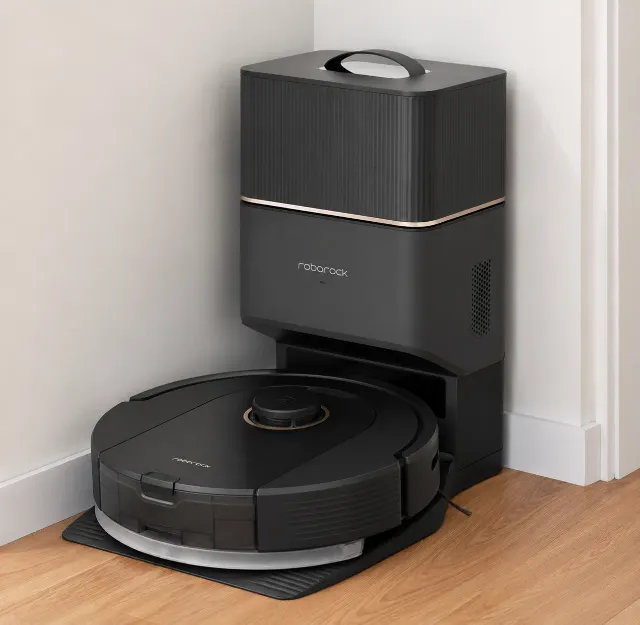
Roborock Q5+
The Roborock Q5+ delivers premium LiDAR navigation and auto-empty convenience at a budget price, but completely lacks modern obstacle avoidance.
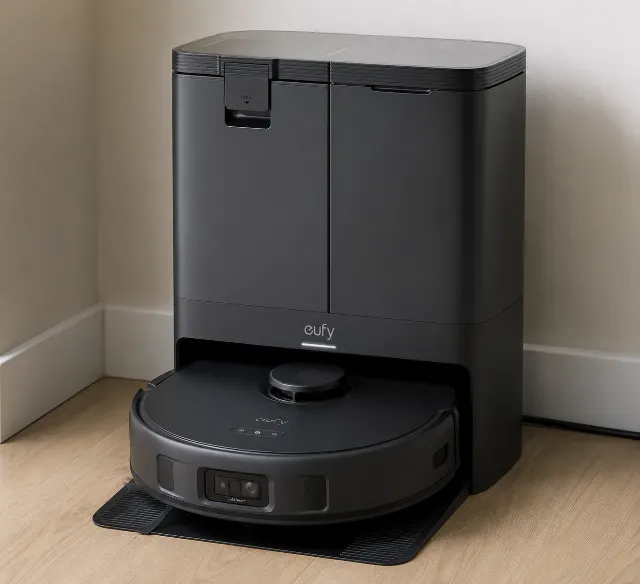
Eufy X10 Pro Omni
The Eufy X10 Pro Omni delivers powerful, hands-off cleaning with impressive pet hair suction and mop-lifting, but its app can be finicky and long-term costs for consumables are a real factor.
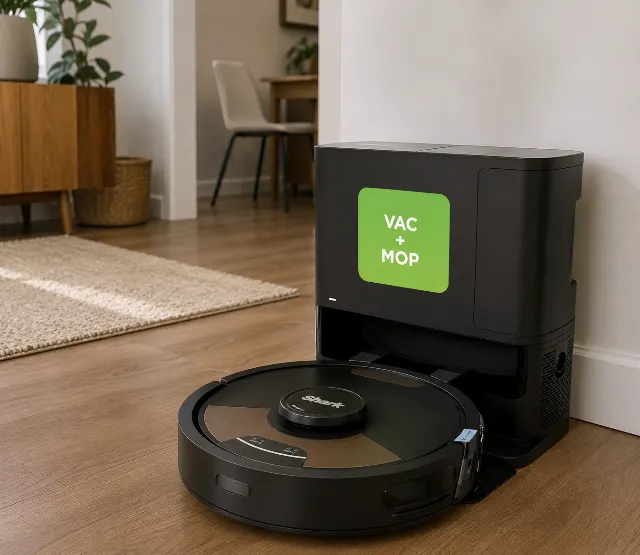
Shark Matrix Plus 2-in-1 (AV2613WA)
The Shark Matrix Plus 2-in-1 is a powerful vacuum that mops, but its real value depends on whether you can live with its high-maintenance mopping system.
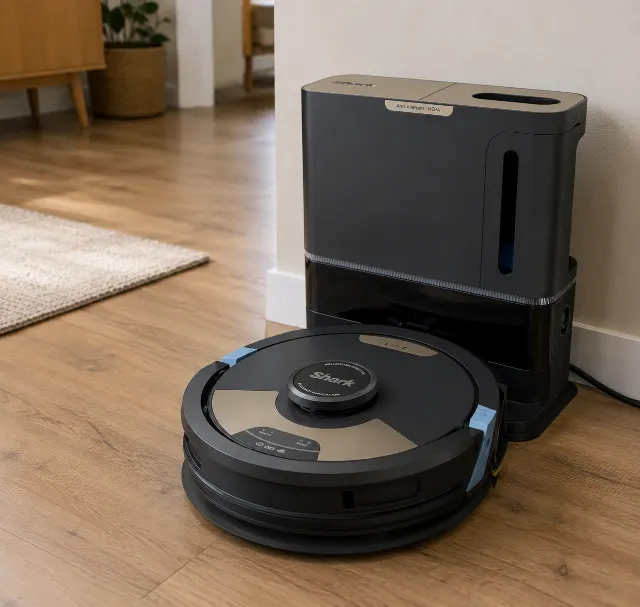
Shark Matrix Plus 2 in 1 (AV2610WA)
The Shark Matrix Plus 2-in-1 (AV2610WA) delivers aggressive sonic mopping and excellent vacuuming, but its object avoidance lags behind premium rivals, making it a mixed bag for cluttered homes.
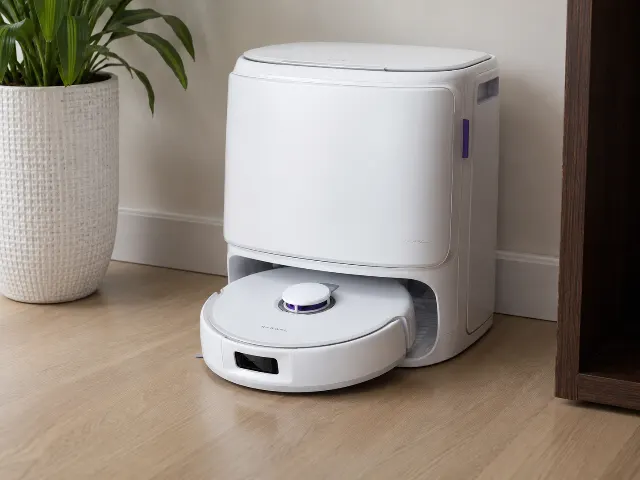
NARWAL Freo X10 Pro Robot Vacuum and Mop Combo
The Narwal Freo X10 Pro delivers exceptional mopping and edge cleaning for hard floors, but its high-pile carpet performance and large dock footprint demand careful consideration.