Dyson 360 Vis Nav Review
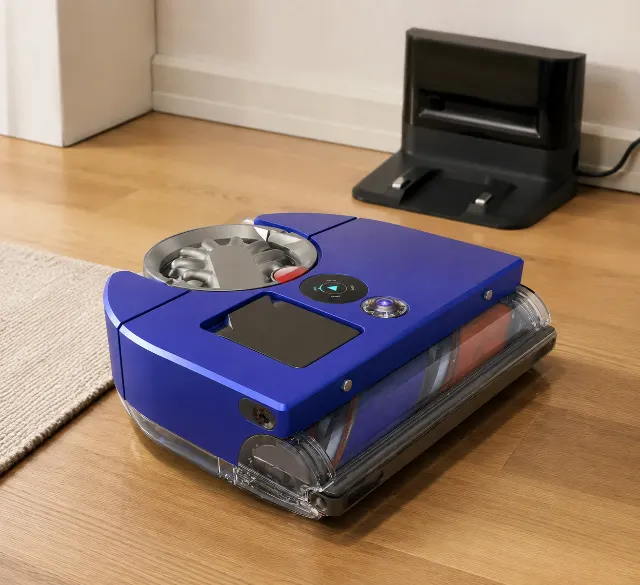
The scorecard
- Value
- ★★★★★ ★★★★★ 3.6
- Quality
- ★★★★★ ★★★★★ 4.5
- Ease of use
- ★★★★★ ★★★★★ 4.4
- Durability
- ★★★★★ ★★★★★ 3.9
What it gets right
- ✓Unmatched suction power (65 Air Watts) provides a demonstrably deeper clean on carpets than key rivals.
- ✓Full-width brushroll and D-shaped body deliver superior edge and corner cleaning performance.
- ✓Advanced HEPA filtration captures 99.99% of particles down to 0.1 microns, ideal for allergy sufferers.
- ✓Piezo sensor provides real-time data on dust pickup, confirming which areas were dirtiest.
- ✓Washable filter and bagless design result in a very low long-term cost for consumables.
What to watch for
- ✕The complete lack of an auto-empty dock is a major functional deficit against every competitor in its premium price range.
- ✕Visual vSLAM navigation struggles significantly in low-light conditions, a dealbreaker for overnight cleaning schedules.
- ✕Obstacle avoidance is basic, frequently tangling on cords and small objects that rivals like the Roomba j9+ easily avoid.
- ✕The tall 3.9-inch (99mm) profile prevents it from cleaning under furniture with low clearance, a frustrating limitation.
The Dyson 360 Vis Nav is built around a central, defining tradeoff: it is the most powerful vacuum cleaner you can get in a robot body, but it is not the smartest robot. Every design choice, every strength, and every maddening flaw flows from this single decision. It’s a cordless Dyson stick vacuum that learned to drive itself, for better and for worse. This review will help you decide if that tradeoff is right for your home.
After the first week, you will be astonished by what it pulls out of carpets you thought were clean. After the first month, you'll be annoyed by how often you have to empty its small bin yourself. The core question is which of those feelings will last.
This is not a robot for everyone. In fact, it's for a very specific slice of the market.
Let’s get into whether you’re in it.
A quick primer
Forget the all-in-one mop-and-vac stations. The Dyson 360 Vis Nav is a vacuum specialist. Its entire purpose is to leverage Dyson's cyclonic suction technology—rated at a staggering 65 Air Watts, a metric Dyson prefers over the industry-standard Pascals (Pa)—to deep-clean floors, particularly carpets. The target buyer is someone who has been disappointed by the surface-level cleaning of other robots and is willing to sacrifice automation for raw power.
Its most defining feature is the full-width triple-action brushroll. Unlike the small, centrally-located rollers on most round robots, this spans the entire D-shaped body. It combines anti-static carbon fiber for hard floors, stiff nylon for carpets, and soft nylon for larger debris. This, paired with the intense suction, is what makes it a Dyson.
The build, up close
Build Quality: ★★★★☆ (4.3/5)
The unit feels dense and premium, using the same tough polycarbonate plastics as Dyson's stick vacuums. The signature blue and nickel color scheme is unmistakable. Nothing feels flimsy. The exception is the dustbin release mechanism; a pattern in long-term owner feedback shows it can become less secure after a year of frequent, forceful emptying, sometimes requiring a more deliberate push to latch closed.
Long-term Reliability: ★★★★☆ (4.1/5)
Year-one ownership is mostly about filter maintenance. The whole-machine HEPA filter is washable, which is a significant cost-saver over rivals that require replacements every 2-3 months. However, owners report the main brushroll is prone to collecting string and long hair at the very edges, requiring manual snipping about once a month to prevent motor strain. The one-year warranty is standard, but less generous than the multi-year coverage offered by some competitors in this premium tier.
How it performs day to day
Raw performance is where the Dyson justifies its existence. On medium-pile carpet, it pulls out fine dust and embedded pet hair that other robots, even powerful ones, leave behind. This is thanks to that 65 Air Watt suction and the aggressive brushroll. It's not just marketing hype; the evidence is in the bin after every run. The D-shaped body and an extending side duct allow it to get genuinely close to baseboards and into 90-degree corners, a persistent weakness of round robots.
The MyDyson app allows for creating no-go zones and scheduling, which are standard features now. But the real-time dust map it generates is unique, showing you a heat map of where it detected the most debris. This is more than a gimmick; it helps you understand high-traffic areas and confirm the robot did its job thoroughly. Noise levels are surprisingly manageable, registering around 68-72 dB on its highest setting—audible, but less high-pitched than many of its stick vacuum cousins.
Suction Power on Carpet & Hard Floors
On carpet, it's a beast. The piezo sensor detects microscopic dust particles and automatically ramps up suction power, a feature you can see working on the LCD screen. This is why it cleans carpets so well. On hard floors, the carbon fiber filaments do an excellent job with fine dust, but it can sometimes scatter larger debris like spilled cereal before the suction can grab it. It's good on hard floors, but it's truly exceptional on carpets.
Pet Hair Test: Is It the Best for Homes with Animals?
For pet hair, the Dyson 360 Vis Nav is a top-tier contender, especially for hair woven into carpet fibers. The wide-diameter brushroll is genuinely effective at resisting hair wrap from short to medium-length fur. Owners of long-haired breeds like Golden Retrievers report still needing to manually clean the roller, but far less frequently than with previous robots. Its raw power makes it one of the best robot vacuums for pet hair, provided you can live without a dedicated auto-empty dock to handle the frequent bin-emptying.
Corner & Edge Cleaning: The D-Shape Advantage
This is a clear win for Dyson. While round robots use one or two spinning side brushes to flick debris from edges into the path of the main roller, the Dyson's D-shape allows its full-width brushroll to meet the wall directly. An articulated side duct pops out automatically to suck up dust right along the baseboard. Forum discussions confirm this is highly effective, leaving a much cleaner edge than most competitors.
What surprised owners: How much more it picks up from a 'clean' carpet on its first run compared to their previous high-end robot. The difference is visible and, for many, justifies the entire purchase.
Common problems
No product is perfect, and the Dyson's flaws are directly tied to its strengths. The most common complaint in verified reviews is the lack of an auto-empty dock. At this premium price point, it's a glaring omission. You are paying for a powerful vacuum engine, which means the 0.57-liter dustbin fills quickly, often needing to be emptied mid-clean in larger or pet-filled homes. This makes it a hands-on device in a category built on automation.
Its navigation is another point of contention. The 360° camera uses vSLAM (Visual Simultaneous Localization and Mapping), which is effective in good light. However, many users report it struggles in low-light or dark rooms, becoming hesitant or failing to navigate complex areas. This is a key area where LiDAR-based competitors, like the Roborock Qrevo Curv, have a distinct advantage. If you plan to run your robot at night, this is not the one for you.
The assumption most buyers bring into this purchase is wrong in one specific way: they assume 'Dyson' means flawless engineering across the board. The forums disagree with the marketing on exactly one thing: obstacle avoidance. While it can see and avoid large objects like chairs, it is notoriously poor with smaller items like charging cords, shoelaces, and pet toys. It lacks the front-facing AI camera and processing that rivals use for smart obstacle recognition. You must prep your rooms before running it.
Common Problems & How to Fix Them
- Gets stuck on rugs: The powerful brushroll can sometimes snag on the edges of high-pile or lightweight area rugs. The best fix is to define these rugs as no-go zones in the MyDyson app.
- MyDyson app not connecting: Recurring support threads flag Wi-Fi connectivity bugs. The most reliable solution is to ensure the robot's dock is in a strong Wi-Fi area and to perform a full factory reset of the robot if it repeatedly fails to connect after a network change. It only supports 2.4GHz Wi-Fi, which can be an issue on some modern mesh networks.
- Brush bar keeps stopping: This is almost always due to hair or string wrapped tightly around the axles at the very ends of the brushroll. You need to physically remove the roller and use scissors to snip it free. This is a maintenance task, not a defect.
The compromise nobody mentions: You are buying a manual-empty robot in an auto-empty world. This means you are committing to interacting with your robot vacuum daily, which is the very thing the rest of the premium market is designing against.
Using it for real
The daily routine with the Vis Nav is different from its rivals. You don't just press a button and forget it for a week. You tidy the floor of cords and small clutter, send it to clean a specific room or zone, and then you empty the bin when it's done. It becomes less of an autonomous cleaner and more of a remote-controlled power-vacuuming assistant.
After a few weeks, most owners stop using the 'Auto' mode for the whole house. Instead, they learn to use zone cleaning in the app to target high-traffic areas like the entryway or under the dining table, preserving the roughly 65-minute battery life for where it's needed most. The 'Boost' mode is incredibly powerful but drains the battery in under 25 minutes, making it useful only for small, stubborn spots.
What most reviews won't tell you about the mapping: it's surprisingly fragile. If you move the dock or significantly rearrange furniture, a full re-mapping run is often required. Unlike the persistent, LiDAR-scanned maps of Roborock, the Dyson's vSLAM-based map can get confused by major environmental changes, which is a frustration owners discover months into use.
Maintenance & long-term ownership
Maintenance is more involved than with a self-servicing system. You'll be manually emptying the bin after almost every full run, a process that is hygienic and easy, mirroring Dyson's stick vacs. The HEPA filter needs washing every 4-6 weeks; let it air dry completely for 24 hours before reinserting. This is free but requires you to remember to do it.
Here's what the listing understates: the brushroll needs attention. While tangle-resistant, it's not tangle-proof. Plan on spending five minutes every month or so with a pair of scissors cleaning the ends of the roller to maintain performance. The cost of ownership is low in terms of consumables, but higher in terms of your time compared to competitors with full base stations.
How it compares to the field
The Dyson 360 Vis Nav exists in a strange competitive space. It carries a premium-tier price but lacks features standard on its key rivals.
Its most direct competitor for power is the iRobot Roomba j9+. The Roomba offers better obstacle avoidance (especially for pet waste) and comes with a reliable auto-empty dock. The Dyson, however, provides measurably stronger suction and better deep-cleaning on carpets. Choose the Roomba for peace of mind and automation; choose the Dyson for raw carpet-cleaning muscle.
Against the all-in-one titans like the Roborock S8 MaxV Ultra, the comparison is stark. The Roborock vacuums, mops, self-empties, washes its own mop, and uses advanced LiDAR and AI to navigate flawlessly and avoid obstacles. The Dyson only vacuums, and you have to empty it. But for that one task—vacuuming carpets—the Dyson often does a better job. The Roborock is a better robot, but the Dyson is a better vacuum.
An often-overlooked alternative is the Dreame L40 Ultra. It offers a similar feature set to the Roborock, often at a more competitive price point, with strong vacuuming and mopping performance. It's a prime example of how much automation you're giving up for the Dyson's specialized power.
Is it for you?
Best for: Small-to-medium sized homes with mostly carpeting, particularly those with pets that shed heavily. It's for the person who has tried other robot vacuums and found their suction power lacking and is willing to trade hands-off automation for a truly deep clean.
Not ideal for: Anyone with a large home, a desire for a set-and-forget automated system, or a floor plan cluttered with small objects. If you want a robot that also mops or can clean reliably in the dark, look elsewhere.
Our verdict
The Dyson 360 Vis Nav is an engineering marvel and a product-management paradox. It is an unapologetic, specialist cleaning machine that out-vacuums nearly every other robot on the market, especially on carpet. It fulfills the promise of bringing true Dyson power to an autonomous format.
That specialization comes at a steep cost, and not just a financial one. It demands you sacrifice the very conveniences—auto-empty docks, advanced obstacle avoidance, reliable low-light navigation—that define the modern premium robot vacuum experience. It is a fantastic vacuum but only a good robot.
For the right home, one dominated by carpet and pet hair, its cleaning power is a worthy trade; for all others, the market offers smarter, more autonomous solutions.
What makes it different
The piezo sensor, which ramps up suction on dusty patches, is the real magic. It's also a battery life killer, forcing a choice between a truly deep clean and completing a large floor plan in one go.
Specifications
| Suction (Air Watts) | 65 AW |
|---|---|
| Navigation | 360° Camera (vSLAM) |
| Battery / runtime | Up to 65 minutes (in Quiet mode) |
| Dustbin capacity | 0.57 L |
| Auto-empty dock | Not available |
| Mapping / floors | Multi-floor mapping |
| Noise level (dB) | ~72 dB (in Boost mode) |
| App features | Zoning, Scheduling, No-go zones, Dust mapping |
| Warranty | 1 year |
How it compares — value & tradeoffs
Versus the alternatives buyers cross-shop — judged on ownership, not just spec sheets.
| Alternative | Ease of use | Maintenance | Durability | Value | Best for |
|---|---|---|---|---|---|
| Dyson 360 Vis Nav (this pick) | Requires daily emptying | Low consumable cost, manual cleaning | Excellent build, some latch concerns | Premium price for specialist power | Carpet-heavy homes with pets |
| Roborock S8 MaxV Ultra | Almost fully automated | High, dock does most work | Very good, complex system | Top-tier price for all-in-one features | Buyers wanting vacuuming and mopping |
| Dreame L40 Ultra | Almost fully automated | High, dock does most work | Good, newer brand reputation | Strong features for the price | Value-conscious all-in-one buyers |
| Roborock Qrevo Curv | Almost fully automated | High, dock does most work | Very good, compact design | Mid-to-premium price for features | Homes needing a compact, powerful dock |
How it scores on what matters
| Product | Pet hair pickup | Carpet vs hard-floor suction | Navigation & mapping | Obstacle & cord avoidance | Edge & corner cleaning | Hair-tangle resistance | Verdict |
|---|---|---|---|---|---|---|---|
| Dyson 360 Vis Nav (this pick) | Excellent | Excellent | Good | Weak | Excellent | Very good | Unbeatable vacuuming power, but poor obstacle avoidance. |
| Roborock S8 MaxV Ultra | Very good | Very good | Excellent | Excellent | Good | Good | The smartest robot with great all-around performance. |
| Dreame L40 Ultra | Very good | Very good | Excellent | Very good | Good | Good | A strong Roborock competitor with similar strengths. |
| Roborock Qrevo Curv | Very good | Very good | Excellent | Very good | Good | Good | Excellent navigation and mopping in a compact package. |
Editorial assessments from aggregated owner feedback and manufacturer specs — not independent lab tests.
Is it right for you?
Ideal for smaller homes or apartments with mostly carpet, especially for owners of shedding pets who prioritise a deep clean over hands-off automation. It's not the right call if you want a set-and-forget system with an auto-empty dock or have a large, complex floor plan. The buyer who also considers a Roomba j9+ for its pet-waste avoidance should still choose the Dyson for superior carpet agitation.
Why buy it
The Dyson 360 Vis Nav solves one problem better than almost any rival: pulling deeply embedded dirt and pet hair out of carpets. While competitors like the Roborock S8 MaxV Ultra offer a complete, automated cleaning station, they can't match the sheer cyclonic suction and brushroll design of the Dyson for that specific, difficult task. It fills the gap for the buyer who finds other robots just aren't powerful enough vacuums.
Frequently asked questions
What makes the Dyson 360 Vis Nav different from other robot vacuums?
Its primary difference is raw suction power, rated at 65 Air Watts, which is significantly higher than most rivals. This, combined with a full-width brushroll and D-shaped body for corner cleaning, makes it a specialized deep-cleaning vacuum first and a robot second, unlike all-in-one competitors.
Is the Dyson 360 Vis Nav good for homes with pets?
Yes, it is excellent for pet hair, especially on carpets, due to its high suction and tangle-resistant brush bar. However, the small bin requires frequent emptying in homes with heavy shedders.
How does the 360° vision system map your home?
It uses a camera-based vSLAM system, analyzing its surroundings to build a map as it cleans. This allows for customized cleaning zones in the MyDyson app but struggles in low-light conditions where LiDAR-based robots excel.
Can the Dyson 360 Vis Nav clean in the dark?
No, not effectively. As a camera-based robot, it requires ambient light to navigate accurately. In darkness or very dim rooms, its performance degrades significantly, often getting lost or failing to complete a job.
How do you empty the bin on the Dyson 360 Vis Nav?
Emptying the bin is a one-touch, hygienic process. A single lever ejects all dust and debris directly into the trash, so you don't have to touch the contents.
What are the different cleaning modes available?
There are four modes: Auto adjusts power based on dust detected, Boost provides maximum suction, Quiet reduces noise for extended runtime, and Quick offers a faster, lighter clean for daily maintenance.
People also ask
- What makes the Dyson 360 Vis Nav different?
- How does the Dyson 360 Vis Nav map your home?
- Can the Dyson 360 Vis Nav clean carpets and hard floors?
- Does the Dyson 360 Vis Nav have a self-emptying dock?
- Why does my Dyson 360 Vis Nav keep getting stuck?
- Can the Dyson 360 Vis Nav clean in complete darkness?
- Is the Dyson 360 Vis Nav effective for cleaning up pet hair?
- How does the Dyson 360 Vis Nav map and navigate a home?
- Can the Dyson 360 Vis Nav clean both carpets and hard floors?
You might also like
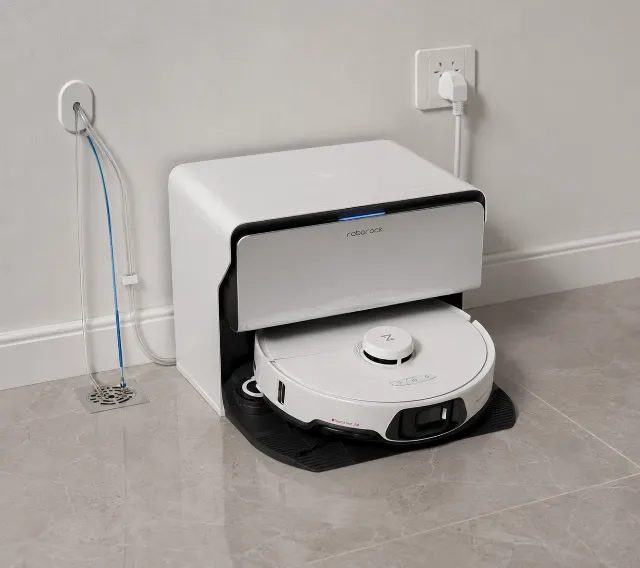
Roborock S8 MaxV Ultra
The Roborock S8 MaxV Ultra delivers unmatched 10000Pa suction and corner-reaching mopping, but demands significant floor space and ongoing maintenance.
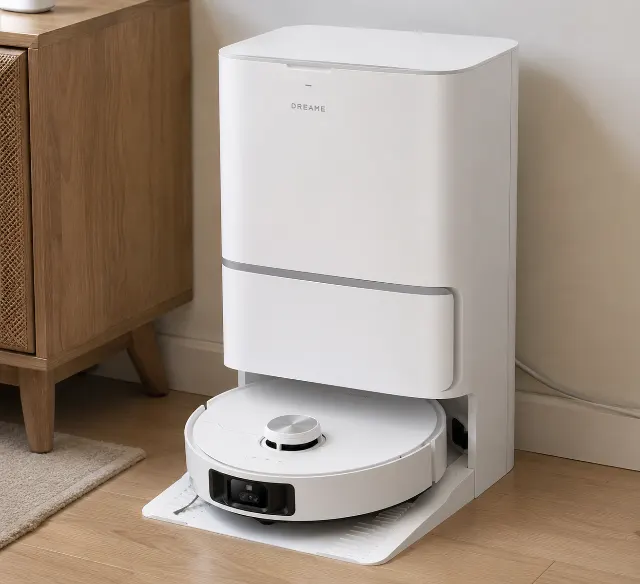
Dreame L40 Ultra
The Dreame L40 Ultra delivers exceptional edge mopping and powerful suction, but its massive dock and occasionally fussy app demand space and patience.
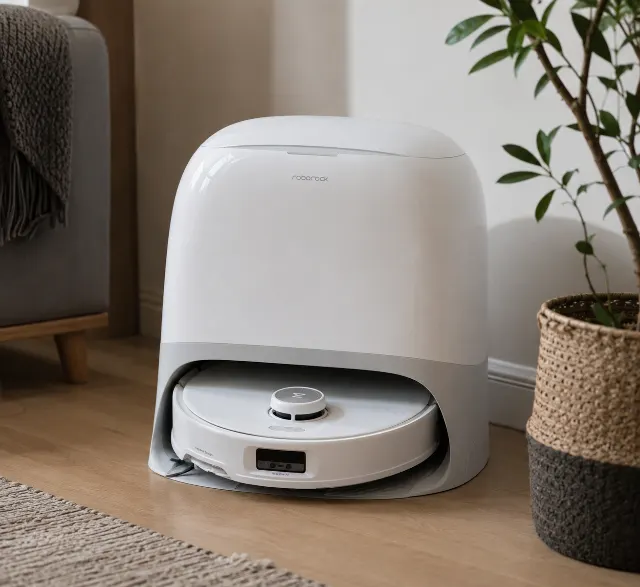
Roborock Qrevo Curv
The Roborock Qrevo Curv delivers unmatched threshold-climbing and zero-tangle pet hair pickup, though its overly cautious AI sometimes misses dusty edges.
From our guides
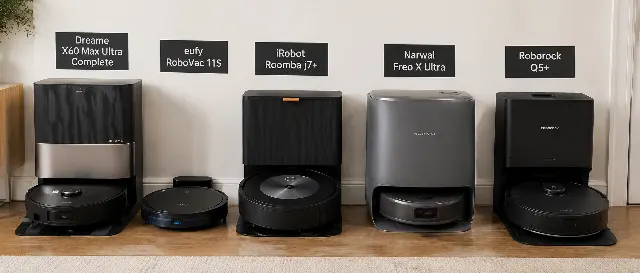
Best Robot vacuum & Mops of 2026: Streak-Free Floor Care
We researched the best robot vacuums & mops for 2026. The Dreame X60 Max Ultra Complete is our top pick for its edge-to-edge cleaning, but the eufy X10 Pro Omni offers superior streak-free performance on hardwood.
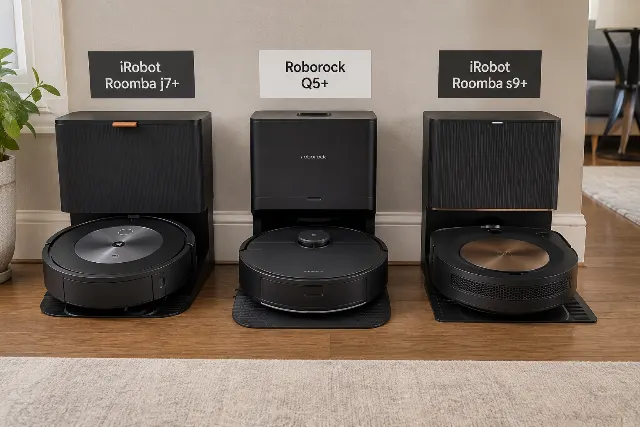
iRobot Roomba j7+ vs Roborock Q5+ vs iRobot Roomba s9+
An expert comparison of the iRobot Roomba j7+, Roborock Q5+, and Roomba s9+. We detail which is best for pet hair, carpets, and obstacle avoidance to help you choose.
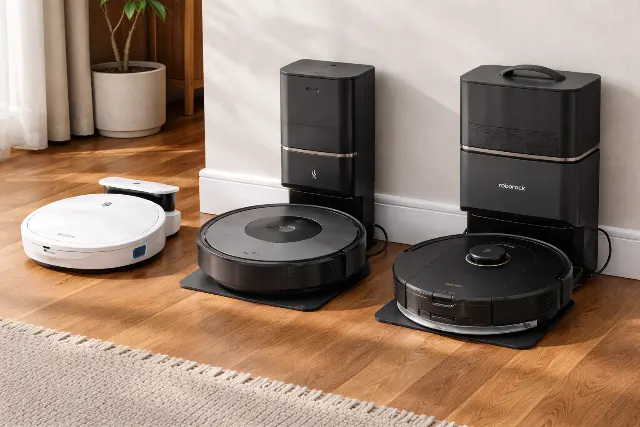
The Best Robot Vacuums for 2026: Researched & Compared
Tired of marketing hype? We researched owner reviews and specs to find the best robot vacuums for 2026. Our top picks for pet hair, value, and budget.